
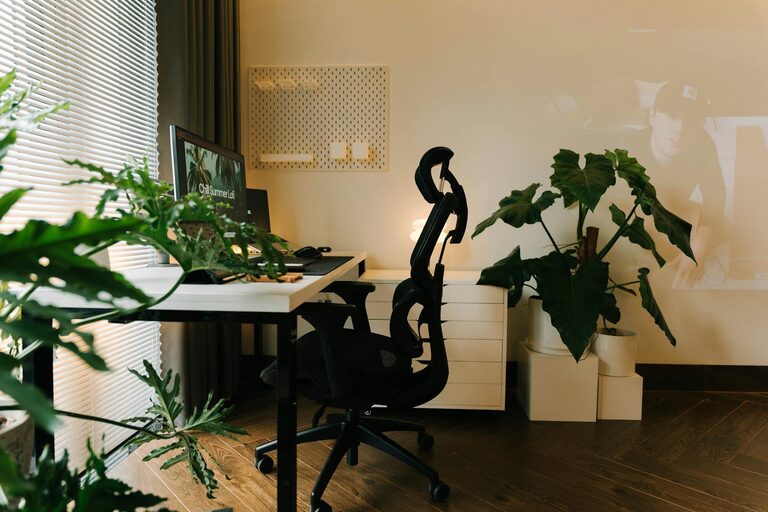
Creating a relaxing home workspace is essential for boosting both productivity and comfort, especially as more people embrace remote work and flexible schedules. A well-designed workspace helps you stay focused, reduces stress, and makes your workday more enjoyable. Whether you have a dedicated room or just a corner in your living room, there are plenty of ways to transform your area into a comfortable and productive environment.
In this post, we’ll explore practical tips for creating a home workspace that feels relaxing and helps you perform your best.
1. Choose the Right Location
Selecting the right spot for your workspace is the first step. Ideally, choose a quiet area with minimal distractions. If you have a spare room, that’s perfect. Otherwise, look for a corner that receives natural light and has enough space for your desk and equipment.
Consider these factors:
– Proximity to noisy household areas like kitchens or TVs
– Access to power outlets for your devices
– Good ventilation and temperature control
2. Invest in Comfortable Furniture
Your comfort directly influences your productivity. Invest in a quality ergonomic chair and a desk at the correct height. A chair that supports your back and encourages good posture can reduce fatigue and discomfort during long hours.
Tips for furniture:
– Adjustable chairs and desks allow for better customization
– Consider a standing desk or a desk converter to alternate between sitting and standing
– Keep your feet flat on the floor or on a footrest
3. Optimize Lighting for Your Workspace
Proper lighting reduces eye strain and helps maintain focus. Natural light is the best option, so position your desk near a window if possible. Supplement with a desk lamp that provides soft, adjustable light.
Lighting tips:
– Avoid harsh overhead lights or fluorescent bulbs
– Use task lighting focused on your work area
– Position screens to minimize glare
4. Keep Your Workspace Organized and Clutter-Free
Clutter can disrupt your concentration and cause stress. Start with a clean desk and keep only essential items within reach.
Organization ideas:
– Use drawer organizers and storage bins
– Implement cable management solutions to avoid tangled cords
– Regularly declutter to keep your space tidy
5. Add Personal Touches for a Relaxing Atmosphere
Incorporate elements that make your workspace pleasant and inviting without causing distractions.
Ideas include:
– Indoor plants to add greenery and improve air quality
– Art or photos that inspire and motivate you
– Aromatherapy diffusers with calming scents like lavender or eucalyptus
6. Minimize Noise and Distractions
A peaceful environment helps maintain concentration and reduces stress. If your space is noisy, consider noise-canceling headphones or white noise machines.
Additional tips:
– Use curtains or rugs to absorb sound
– Inform family members or roommates of your work schedule to minimize interruptions
7. Set Boundaries with Technology
Technology is necessary, but it can also be a source of distraction. Create routines for checking emails and social media, and turn off non-essential notifications during work hours.
Helpful strategies:
– Use website blockers or focus apps to stay on task
– Keep your workspace tech organized to avoid tangles and clutter
8. Incorporate Movement and Break Areas
Taking regular breaks and moving around is important to avoid fatigue and maintain productivity.
Suggestions:
– Stretch or do light exercises near your workspace
– Have a comfortable chair or cushions nearby for short relaxation breaks
– Schedule breaks using timers or apps
Conclusion
Designing a relaxing home workspace doesn’t require a large budget or a complete home makeover. Small changes like better lighting, comfortable furniture, and reducing clutter can make a big impact. Remember, the goal is to create a space that feels comfortable and supports your productivity, allowing you to work efficiently and enjoy your time at home.
Try out these tips to find what works best for you, and watch as your focus and comfort improve throughout the workday.